Introducing Canvas
Meet Canvas, a workspace that lives inside your Dazl project for research, ideation, and asset generation. It's where you gather context, sketch directions, and work through a plan before you touch the prototype. Canvases are saved with your project, but they are not part of the prototype itself, so nothing on a canvas ships when you publish.
Think of it as the room where you think out loud. Drop in everything you already know, shape it into a direction, and only then move into building.
From scattered context to a confident decision
Canvas is made for product research, taking you from a pile of inputs to a clear choice in four steps:
- Add your context - drop in PRDs, research, interviews, screenshots, competitive analysis, and design references.
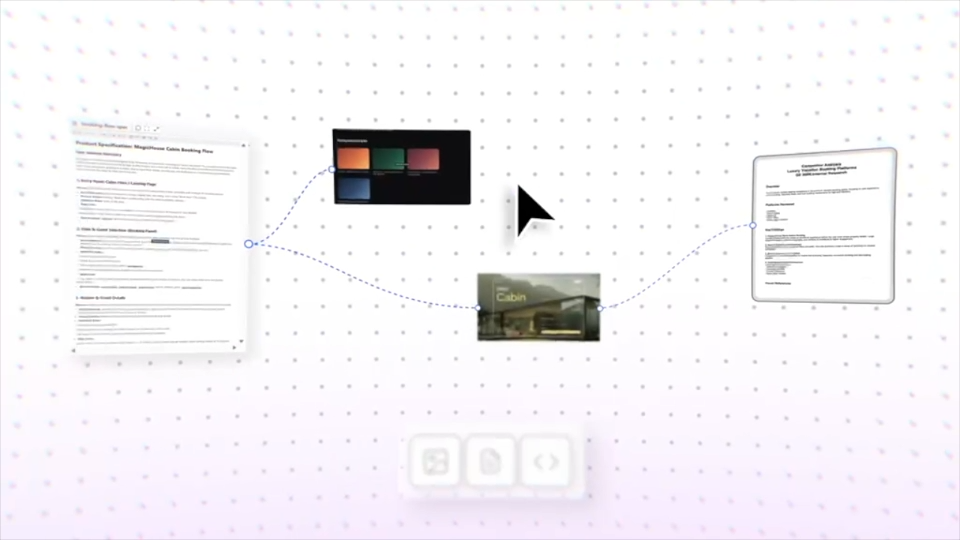
- Connect the dots - organize artifacts on an infinite canvas to shape product direction.
- Generate variations - use AI to create multiple flows, layouts, or directions from your uploaded context.
- From thinking to decision - review options side by side, pick the strongest direction, and share prototypes with your team.
An infinite surface for your real materials
If you're a visual thinker, you need to see your work laid out in front of you, not just described back to you. Canvas gives you that: an infinite surface where you bring your actual materials in - research, Figma frames, screens, briefs - and use AI to generate variations and compare them side by side. Images, documents, pages, and notes all live together, so the whole picture stays in one place.
Start from a Canvas example
To help you get started, we're also launching a set of Canvas examples: real scenarios you can open and explore before bringing in your own materials. They're the fastest way to feel how Canvas works and to see what a good thinking space looks like.
Give your ideas room to breathe
The best product calls come from seeing everything in one place before committing to a path. Canvas, powered by Gemini, gives you that space to gather, compare, and decide. For the launch, you can upgrade to Pro and get two months of free Gemini credits matching your plan. Open a canvas in Dazl and give your next idea room to breathe.
However your product starts — an idea, user feedback, or an insight — Dazl is the AI workspace where product teams plan, iterate, and build it together, all the way to handoff.
Get Started

