
The Rise of Spec-Driven Prototyping for Product Teams
Teams spend weeks debating a product requirements document, validating the logic with stakeholders, and defining the exact parameters of every user flow. Then, the design phase begins. Within days, the resulting mockups diverge entirely from the carefully documented business logic, prioritizing aesthetic layouts over requested functionality. The core issue rests in the translation layer between written text and visual representation. When product managers hand over a static Google Doc or Notion page, designers have to interpret those requirements without a shared interactive context.
The industry is currently experiencing a massive shift in how product teams approach the discovery phase. Product leaders are moving toward environments where the specification inherently shapes the interactive prototype, instead of treating documentation and interface design as two separate workflows. This transition bridges the gap between what product managers define and what engineering builds.
Why Static Product Requirements Documents Lose Context
Static product requirements documents lose context because text cannot adequately represent complex user flows, conditional logic, or edge cases. By the time development begins, the original intent often drifts, leading to misalignment across the product team and requiring costly rework during the engineering phase.
Writing out acceptance criteria for a multi-step onboarding flow rarely captures the nuanced reality of user interactions. A product manager might specify that an error state should trigger if a user uploads a file exceeding a certain size. In a static document, this rule lives as a single bullet point. When translated into a visual mock-up, that crucial validation state is frequently overlooked in favor of designing the ideal "happy path."
Product managers are realizing that managing a standalone PRD requires constant manual syncing with the design file. Every time a requirement changes, someone has to update the text, notify the interface team, and verify the resulting component updates.
The cost of translation errors
Translation errors happen when developers and designers misinterpret vague written requirements, turning a simple feature request into a misaligned interface. These misunderstandings force teams into endless revision loops, draining resources and delaying the overall path to production.
Misinterpretations are incredibly expensive. Industry research points out why 30% of sprint work is rework, often tracing the root cause back to poorly translated specs. When an engineer builds exactly what the visual mockup shows, but the mockup missed the complex conditional logic outlined in the PRD, the product team hits a wall during QA. The subsequent back-and-forth drains momentum and damages team trust.
The limitations of drawing-focused tools
Drawing-focused tools prioritize visual aesthetics over functional logic, making it difficult to embed data models or conditional states directly into the interface. This visual bias leaves product managers without a clear way to communicate real-world software behavior.
Standard design platforms excel at vector graphics and layout consistency. Figma leads the market with an estimated 86% adoption for UI design. Remove this sentence unless you can provide a reliable source for the specific memory and latency figures. These architectural constraints prevent teams from accurately simulating database structures or functional software logic.
The Market Shift Toward Code-Connected Validation
The market is shifting toward code-connected validation as teams realize that testing real software logic yields better feedback than clicking through flat images. Product leaders now seek environments where the specification inherently shapes the interactive prototype, rather than maintaining two separate sources of truth.
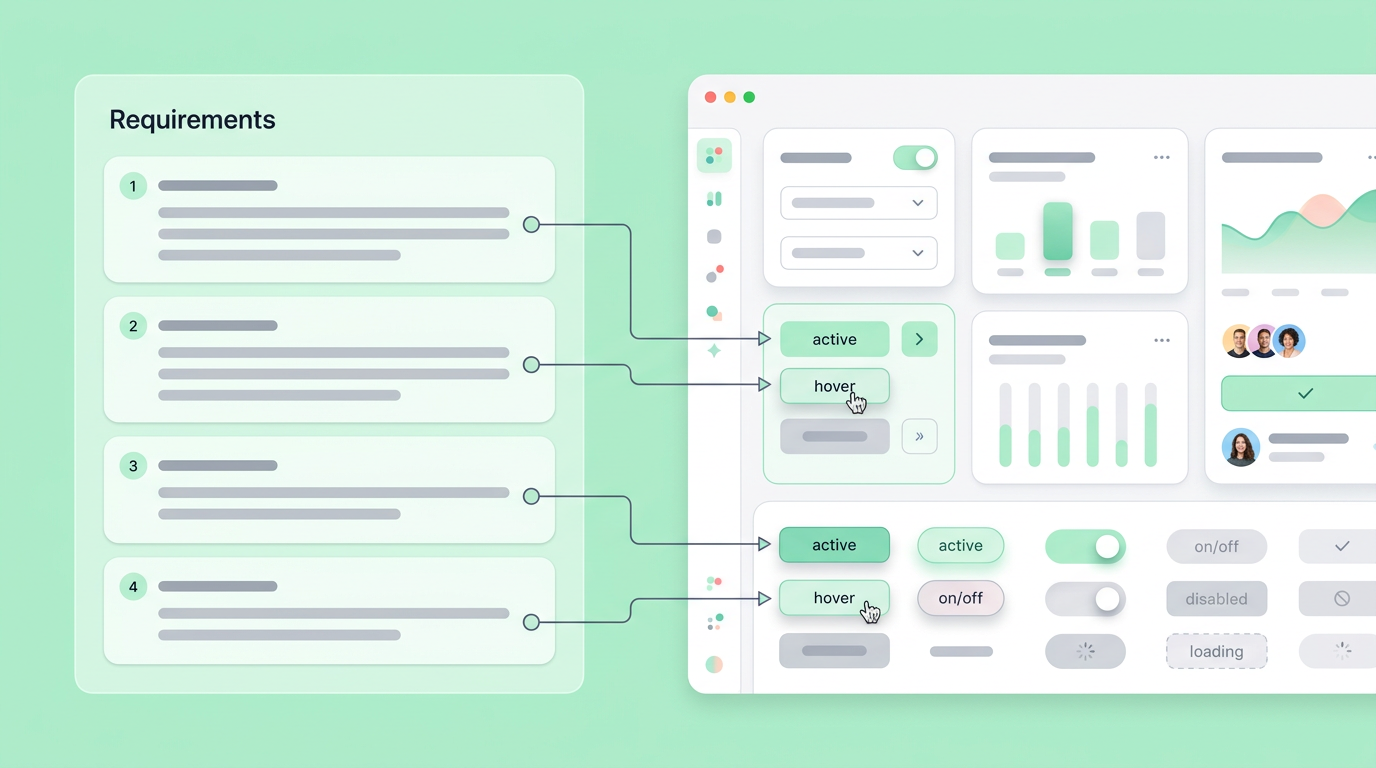
Market reports assessing the best Figma alternatives in 2026 highlight a clear bifurcation in the tooling ecosystem. Some platforms focus intensely on high-fidelity visual rendering, while others move decisively toward specification alignment and logic-driven behavior. Product managers are actively seeking ways to move past the traditional hand-off, opting for systems that let them validate technical feasibility while structuring the overarching user narrative.
Comparative breakdowns of design and prototyping tools show varying seat costs, from Figma at $21 per user per month to Balsamiq at roughly $144 per year for limited projects. Teams are evaluating these costs against the actual value delivered during the discovery phase, questioning whether they need premium vector tools just to test business logic.
Tying acceptance criteria to interactive elements
Linking acceptance criteria to specific interactive elements ensures that every button click or form submission accurately reflects the documented business logic. This method guarantees that designers and developers build exactly what the product manager specified in the initial requirements.
When requirements attach directly to the interface components they govern, the risk of omission drops significantly. A developer inspecting a form field can immediately read the exact character limits, API payload requirements, and failure messages defined by the product manager. The interface becomes the living document.
Minimizing the fidelity trap
The fidelity trap occurs when teams spend excessive time polishing visual details before validating the core user journey. Moving toward spec-focused prototyping helps product managers keep stakeholders focused on structure and flow rather than debating color palettes and typography.
We found that guiding stakeholders through structural wireframes early in the process accelerates decision-making. When you present a highly polished mockup to an executive, they often critique the exact shade of blue on a primary button. Grounding the conversation in functional prototypes keeps the focus exactly where it belongs, validating the mechanical steps required to solve the user's problem. Key advantages of this approach include faster decision-making by stakeholders. It also reduces the time spent on visual polish before core functionality is confirmed and improves alignment on the user journey's essential mechanics. This helps teams avoid common pitfalls that lead to rework, with some studies showing that 30% of sprint work is rework.
Evaluating a Figma Alternative Spec Driven Prototype Workflow
Evaluating a Figma alternative spec driven prototype workflow requires assessing how well the tool handles state changes, variable inputs, and real data integration. The goal is to move away from drawing static rectangles and instead author interactive logic that directly reflects the product requirements document. This approach offers several benefits:
- Single Source of Truth: It ensures all requirements are consolidated in one place.
- Accelerated Validation: It speeds up the validation of technical feasibility.
- Minimized Rework: It significantly reduces costly rework in later development stages.
Product managers need tools that understand the logic of software, the appearance of it. A true spec-driven approach allows you to define a user payload in text and see that exact payload reflected in the routing of the prototype. The search for a viable Figma alternative spec driven prototype centers entirely on the ability to author rules, parameters, and conditions, as well as considering the cost implications of various design tools which can range significantly.
Handling complex logic and state
Managing complex logic and state requires a prototyping environment that understands variables, conditionals, and user inputs natively. Without these features, product managers cannot accurately simulate realistic edge cases, login states, or multi-step wizard sequences for accurate user testing.
The broader market is clearly recognizing this need for code-like behavior, as seen in evaluations of tools offering Figma competitors. For example, some platforms support importing React components from Git repositories, but the supplied sources do not verify the $348 annual per-editor price. Other enterprise tools may charge annual per-user fees, but the supplied sources do not verify the $348 figure. These costs highlight the increasing investment in advanced tooling.
Balancing open source data ownership
Balancing data ownership often leads teams to explore self-hosted platforms to maintain strict control over proprietary product specifications. Open source options appeal to organizations aiming to avoid long-term vendor lock-in while scaling their product discovery processes.
Some organizations enforce strict remote data policies, driving them toward tools like Penpot, which functions as an open-source, self-hostable design application. While these tools offer deep control over data governance, they still largely operate on a visual canvas model. Product managers evaluating these systems must determine if data ownership outweighs the need for natively embedded specification features.
Embedding the Spec Directly into the Output
Embedding specifications directly into the prototype ensures that technical requirements travel alongside the visual interface throughout the entire development cycle. This unified approach eliminates the need to constantly cross-reference a disconnected document against a separate interactive mockup.
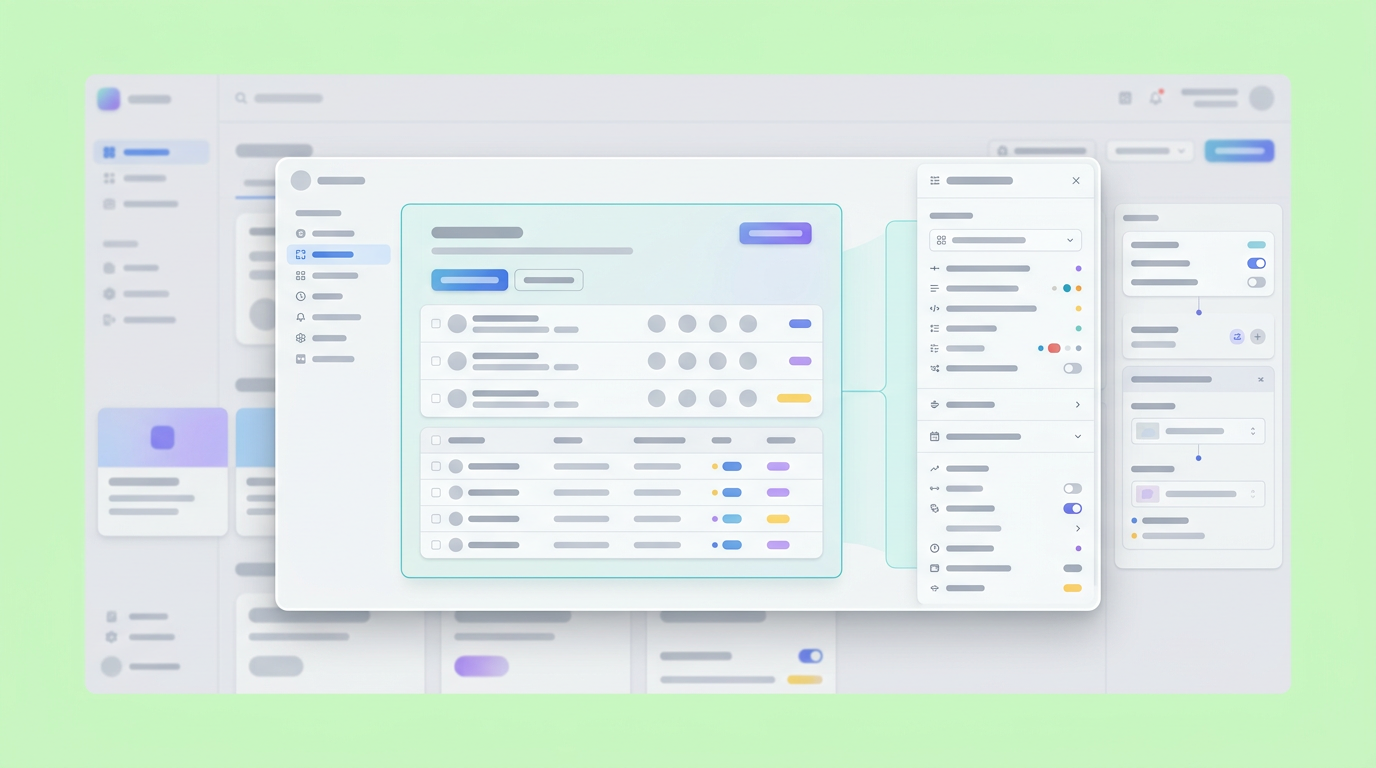
When the requirement defines the interface, product tracking becomes drastically simpler. You no longer have to manually check if the designer remembered to include the sorting dropdown on the data table. The specification generates the requirement context right there in the working file. Dazl is the PM's teammate from ideation and spec writing through a hand-off ready prototype, keeping the whole team aligned. By centering the workflow around the specification itself, the interactive output becomes a rigorous reflection of the business goals.
Making requirements impossible to ignore
Making requirements impossible to ignore involves attaching specific business rules directly to the functional components they govern. When a developer inspects an interactive element, they should immediately see the associated data models, constraints, and validation rules.
The answers live exactly where the developer is looking. If a button triggers a background job, the expected latency, loading state, and error handling guidelines are tied explicitly to that exact UI element.
Maintaining alignment through the product journey
Maintaining alignment through the entire product journey requires a centralized workspace where feedback from engineering, design, and business units converging on a single artifact. This synchronization accelerates the path to production and significantly reduces misinterpretations.
A unified approach ensures that when a stakeholder requests a change in the meeting, you can update the underlying requirement, instantly reflecting the impact on the user flow. Benefits of this synchronization include:
- Accelerated Path to Production: Teams can bring products to market faster.
- Reduced Misinterpretations: Clarity across teams minimizes errors.
- Improved Transparency: Everyone evaluates changes on a single, shared artifact, leading to clearer understanding and accountability.
The Next Evolution of Product Planning
The next evolution of product planning abandons fragmented documentation in favor of dynamic workspaces where ideas instantly transform into testable experiences. Product teams will increasingly rely on interactive specs to secure stakeholder alignment and validate technical feasibility much earlier in the cycle.
Operating with a disconnected tech stack slows teams down. Creating a PRD in one tab, diagramming the flow in another, and tracking the engineering tickets in a third creates friction at every handoff point. Relying on visual drafting boards places an undue burden on product managers who need to map complex backend constraints to front-end experiences. By integrating the specification directly with the interactive prototype, product leaders shorten the distance between a good idea and a production-ready feature.
The priority moving forward involves leaving behind workflows that treat requirements as an afterthought. Tying the written rule explicitly to the functional output establishes a single source of truth, ensuring that what you define in the discovery phase is exactly what ships to the customer.
You and your team can bridge this gap between requirements and design by creating your first spec-driven prototype with Dazl.
Get Started

