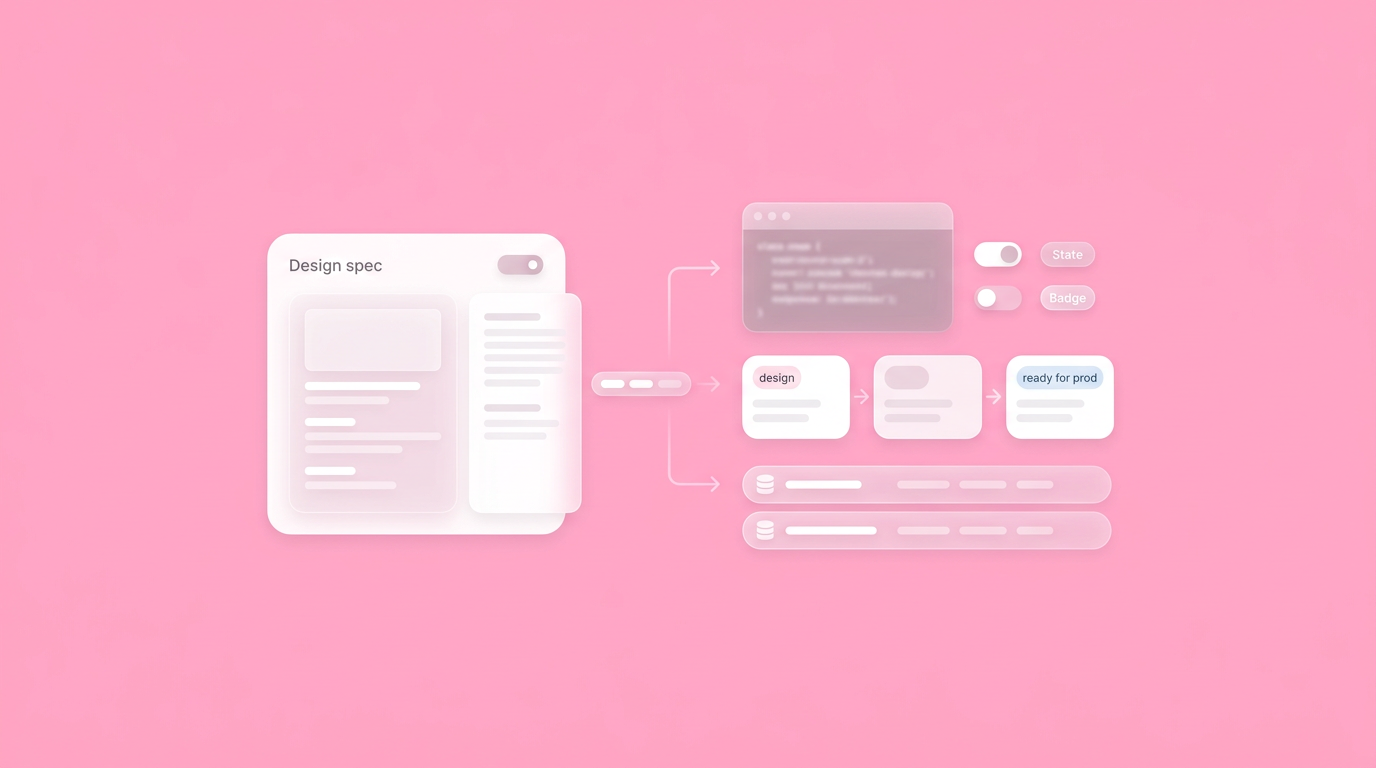
Closing the Gap: The Blueprint for a Flawless Design Hand Off
Eight weeks of intense planning result in a meticulously reviewed dashboard update, yet the first engineering build looks completely different from the initial vision. The layout shifts on smaller screens, loading states freeze mid-animation, and interactive buttons lack focus borders. The breakdown rarely stems from technical skill gaps. Instead, the friction occurs during the transfer of product intent.
Product teams routinely deliver visual blueprints but omit the critical logic powering them. Establishing a seamless design hand off process prevents this by treating interaction models and state definitions as core deliverables alongside the interface, reducing back-and-forth Slack clarification threads significantly.
The Distance Between Pictures and Production
Static visuals often fail to communicate interactive logic, creating friction during implementation. Fixing this requires a shift from sending plain images to delivering comprehensive interactive specifications that capture the exact user experience across all dynamic states.
Translating a static mockup into a functioning web application requires developers to guess how components should behave in motion. Teams report that these small micro-decisions account for the most significant delays during sprints. You hand over a pristine Figma file, but engineers still need to know exactly what happens when a user clicks twice rapidly or a network response times out. These missing interaction gaps slow down the entire pipeline.
Recent data comparing the 7 best design handoff tools emphasizes that reducing project lag relies heavily on adopting automated technical handoffs. Designers possess a deep understanding of the intended user journey. Engineers need that exact knowledge transferred without ambiguity. When we found our development team guessing how a primary navigation dropdown should animate, we recognized that our deliverables lacked foundational logic.
The Hidden Costs of Static Assets
Relying on non-interactive files costs product teams hours of unnecessary meetings just to clarify layout shifts and hover states. Moving to dynamic prototypes ensures engineers have concrete references for every single interaction.
Providing flat image sequences forces teams to map complex application interactions manually. Engineers end up building customized components for edge cases that designers never fully mapped out in the initial phase. This causes a stark divide regarding bridging design and engineering, where frustration mounts on both sides of the sprint board.
Replacing these static assets with dynamic prototypes aligns expectations instantly. Engineers can inspect the visual code directly, view component properties, and check responsive behaviors in real time. This approach minimizes developer guesswork and accelerates the path to a shippable application.
Defining the 5 Stages of the Design Process
The five core stages of design include:
- Empathizing with users
- Defining the problem
- Ideating solutions
- Prototyping
- Testing
Structuring these phases guarantees teams validate product concepts before any heavy engineering starts.
Understanding this basic framework keeps everyone focused on the exact same milestone. Teams start by empathizing with the target audience to uncover actual pain points. Defining the core problem follows naturally, keeping the scope narrow and manageable. Ideation then generates multiple potential solutions rapidly.
Prototyping brings the absolute strongest ideas into a tangible format. Testing those prototypes validates functionality before any production code gets merged. Nailing these five stages guarantees that what moves into development has already survived contact with actual user feedback.
Rebuilding the Design to Development Workflow
Modern handoffs turn the interactive prototype itself into the primary product specification artifact. This approach embeds business logic directly into the visual interface, removing the need for lengthy supplementary documentation.
The traditional method of attaching a link to a ticket and writing a massive specification document frequently results in misaligned builds. Nobody reads a twenty-page PDF completely. Teams prefer inspecting a functional artifact that demonstrates the exact expected behavioral outcomes.
A properly structured design handoff involves transferring a designer's complete intent and knowledge directly for actual implementation.
We changed our organizational approach by connecting our technical specs directly to the user interface. You click a button in the prototype, and the specific acceptance criteria for that precise action appear alongside it. This method streamlines streamlining UI UX handoff significantly. Dazl is the PM's teammate from ideation and spec writing through a hand-off ready prototype, keeping the whole team aligned.
Making Prototypes the Specification
Attaching acceptance criteria directly to prototype interactions provides engineers with immediate working context. Setting up this direct linkage eliminates the cognitive load required to switch between an issue ticket and a visual mockup.
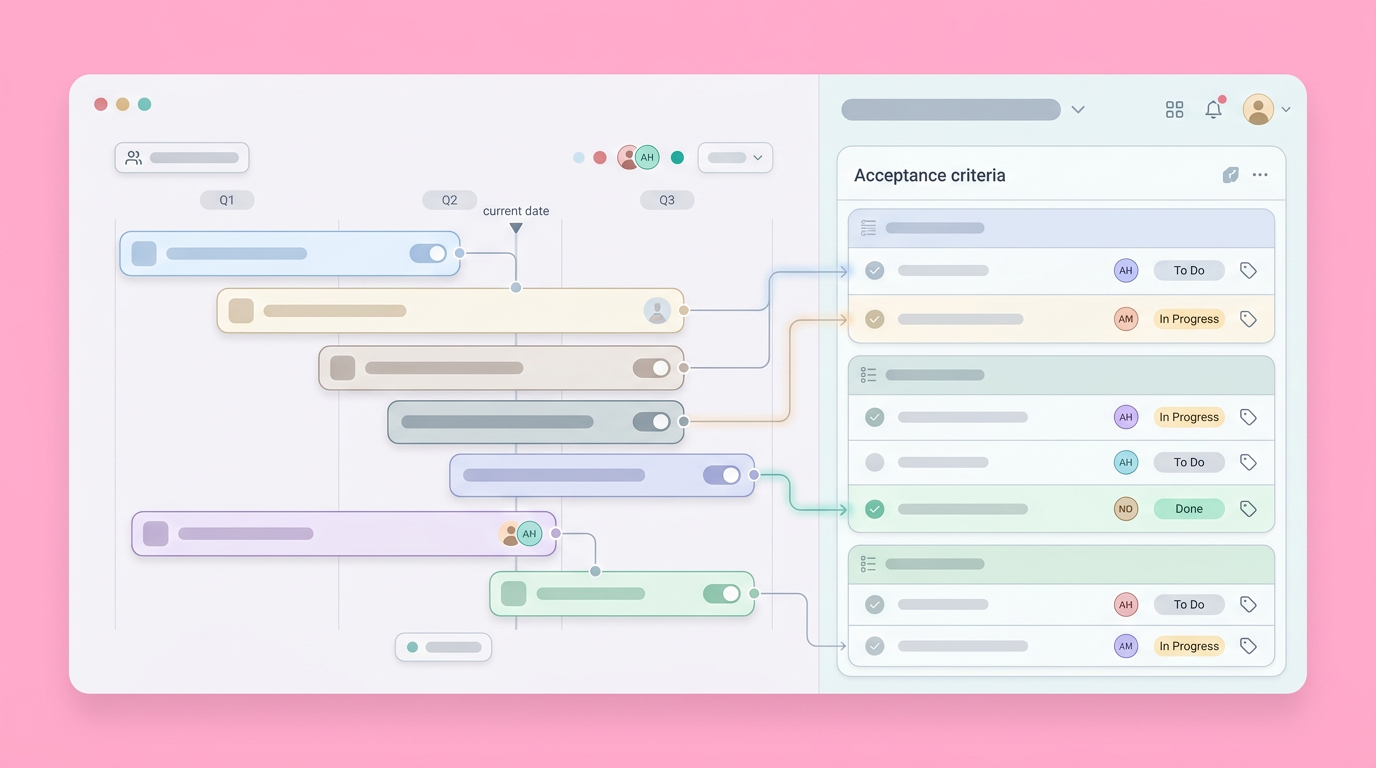
Embedding your better product specification documents within the design artifact generates a single source of truth for the entire squad. Engineers click through the proposed flow and see the exact API endpoints and database models required for each individual screen.
This context-rich environment prevents critical business details from getting buried deep in task comments. Everyone operates from the exact same visual reference point. The interactive prototype completely dictates the requirements, ensuring collaboration in design and dev remains entirely focused on execution rather than discovery.
Managing States and Edge Cases
Documenting error messages, loading states, and empty placeholders guarantees a highly polished final build. Engineers need these specific visual references to handle unexpected user behaviors properly without entirely disrupting the core experience.
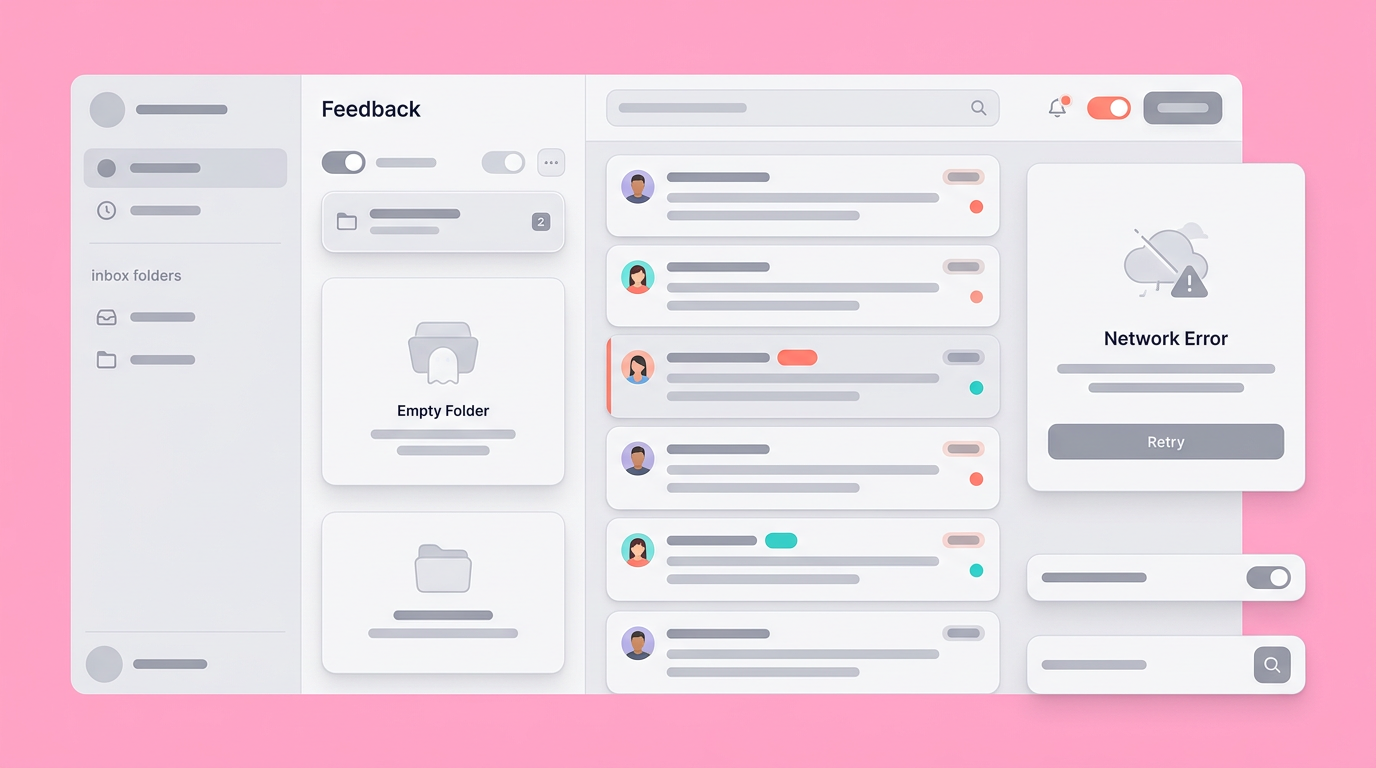
Mapping the happy path rarely provides enough context for a resilient modern application. Users submit incomplete forms, external APIs return errors, and internet connections drop unexpectedly during long active sessions. Teams must account for these realities up front.
Accounting for these scenarios during the prototype to production process prevents last-minute scrambles before launch. Providing explicitly designed empty states and error modals gives developers exactly what they need to write robust application code right from the start.
Bridging Design and Engineering with Automation
Using automated tools to translate design tokens into code variables prevents common human errors during implementation. These technical systems keep spacing margins, typography rules, and exact color codes universally synchronized across departments.
Manually copy-pasting hex codes and padding values introduces small interface inconsistencies that compound massively over time. Automating the direct transfer of design tokens ensures the product visually matches the approved brand guidelines without requiring tedious manual quality reviews at every stage.
Industry trends indicate that reducing manual steps is the top priority for scaling technical teams. Organizations rely heavily on basic algorithms to generate repetitive boilerplate styling. In our testing, automating the transfer of basic CSS variables freed engineers to focus exclusively on highly complex application logic instead of pushing pixels.
The Role of Machine Experience (MX) Design
Machine Experience design focuses on how generative models interact with digital interfaces, predicting and automating basic layout generation. This trend shifts the product workload from manual drafting directly to strategic oversight.
Recent reporting on experience design trends in 2026 highlights 4 major shifts, projecting that designing for intent and Machine Experience (MX) design will standardize automated workflows. Machine Experience design creates a structural layer where automated systems handle the grunt work of basic component assembly. Instead of pushing elements manually, designers train generative systems to output standardized layouts based on existing component libraries.
This capability speeds up the initial interface drafting phase immensely. PMs get rapid iterations to evaluate concept viability early. Teams can then use effective design handoff tools to verify the output rigorously against the established design system before passing the complete package over to engineering.
Structuring Effective Design Handoff Tools
The best software platforms currently provide code inspection elements, precise measurement guides, and direct workflow integrations with issue trackers. These features empower engineers to extract necessary details directly without requiring any manual designer intervention.
Modern code inspection features allow developers to select any specific visual element and instantly view the required CSS properties or design tokens. This automatic visibility cleanly bridges the gap between static styling and code implementation. It keeps the core codebase closely aligned with the original creative vision.
Integrating these dynamic tools directly with issue trackers effectively links visual interface updates to specific sprint tasks. Engineers actively pull the latest component changes automatically, keeping their core workflow entirely centralized and completely uninterrupted.
Standardizing the 7 Steps of the Design Process
Following a structured seven-step framework from initial research straight through to implementation guarantees thorough problem validation. Each distinctly separate phase generates specific functional artifacts that transition logically into the next team's active workflow.
Adopting a rigorous standardized process heavily shapes expectations across the entire product organization. The defined sequence of the 7 steps of the design process requires strict adherence to distinct milestones. Teams list these steps as:
- Understanding the problem
- Observing users
- Defining the viewpoint
- Ideating
- Prototyping
- Testing
- Implementation
Following this sequence prevents ambitious teams from rushing headfirst into development unequipped. We regularly observe product squads skipping the observation and viewpoint phases entirely. This oversight usually results in beautifully crafted features that unfortunately solve the completely wrong problem. Applying proper product discovery steps addresses these structural gaps effectively.
Aligning Teams Early
Bringing engineering leaders directly into the early ideation phase preempts technical constraints from derailing a complex project months later. Early technical alignment guarantees proposed interactions actually fit within the current backend architecture.
Inviting developers to review low-fidelity wireframes early saves countless hours of painful redesign work later. A highly complex interactive animation might look great conceptually on screen but desperately require a massive refactor of the underlying frontend infrastructure.
Engineers provide heavily required reality checks. Their early technical input actively shapes the prototype limitations, ensuring the final deliverable contains only technically feasible design components that the team can actually ship.
The 60/30/10 Rule in UI/UX Design
The 60/30/10 proportional framework ensures visual balance by dictating exactly how much primary, secondary, and accent color appears on screen. Documenting these specific functional ratios guarantees developers apply styling consistently across the entire application interface.
This classic foundational design principle dictates the following proportional framework for visual balance:
- 60 percent of an interface uses a dominant background color.
- The secondary color takes up 30 percent, reserved mostly for floating cards or core structural elements.
- The final 10 percent acts strictly as an accent color, reserved exclusively for urgent calls-to-action or highly critical user interactions.
Data concerning UX UI design trends shows that rigidly adhering to these visual constraints vastly improves digital accessibility and general user navigation. Providing these strict styling variables directly to engineering maintains the overall brand hierarchy exactly as initially intended.
The Shift From Handoff to Continuous Build
Treating the design-to-development transition as an ongoing conversation rather than a rigid final transaction yields noticeably faster iterative cycles. Teams that successfully integrate these specific processes continuously ship far better products with significantly fewer active visual regressions.
The actual concept of a strictly literal handoff implies a hard stopping point. Modern software product development behaves much more like an interconnected collaborative engine. Emerging experience signals indicate that the strict lines separating a finalized aesthetic design from an active staging environment continue to blur as central component libraries sync directly with primary codebases.
Insights from 2026 web development trends indicate that modern automated processes will likely eliminate the manual transfer of CSS completely in the near future. The prototype itself will soon generate its own structural interface code reliably. This advancement requires engineers only to wire up the necessary backend data services.
Adopting these highly connected logic systems today fully prepares your active team for the next phase of integrated software development.
By adopting Dazl, you and your team can simplify this transition by using interactive tools that turn your blueprints into reality.
Get Started

